
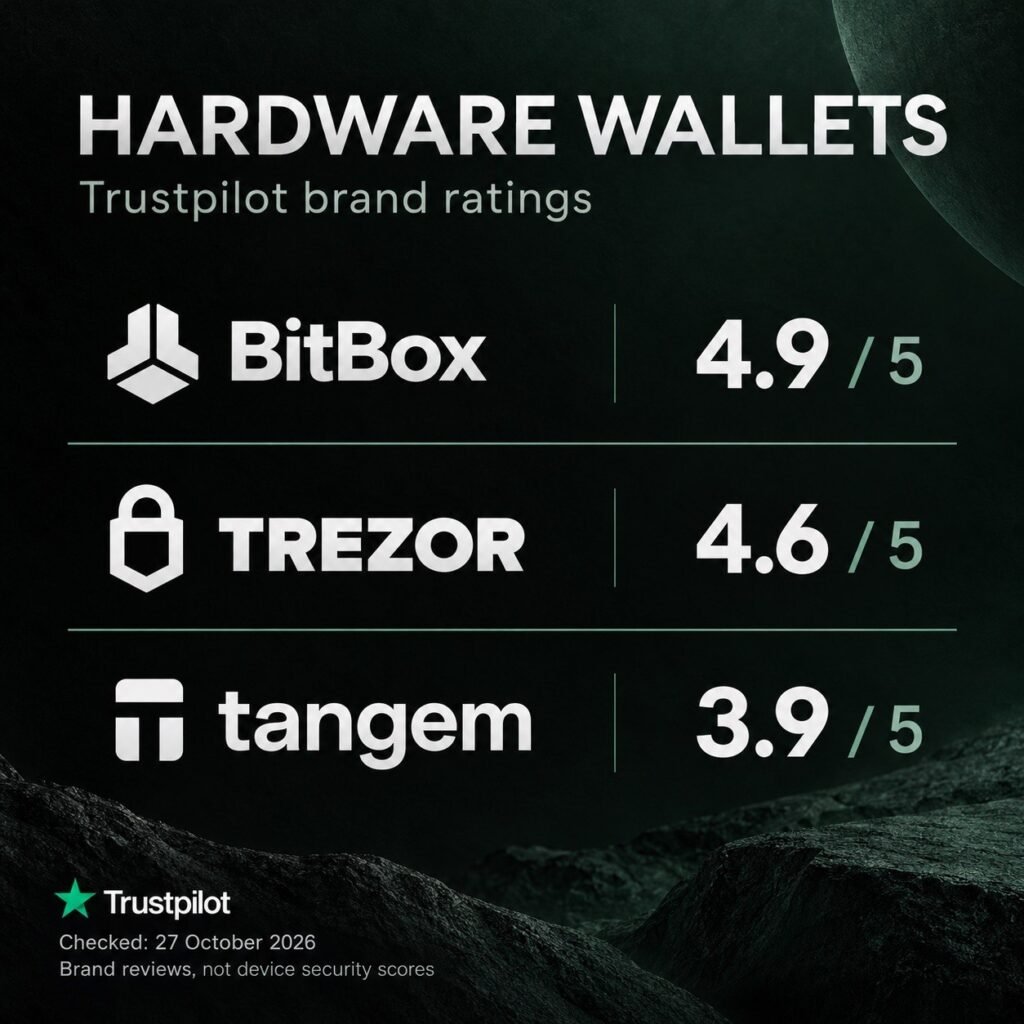
In this article, you’ll learn how to choose a hardware wallet for storing cryptocurrency. We’ll explore BitBox, Trezor, and Tangem, comparing their features, connectivity options, recovery methods, advantages, and limitations, alongside their brand ratings on Trustpilot. We’ll also answer key security questions: can the manufacturer block your wallet or access your funds, what happens if you lose the device, and how can you protect your wallet backup? Finally, we’ll compare hardware wallets with smartphone and desktop wallet apps to help you choose the right option for your needs.
Key Questions About Cold Wallets
1.What is a cold wallet?
A cold wallet is a way of storing private keys offline. Hardware wallets, such as BitBox, Trezor, and Tangem, use a separate device for this purpose. The cryptocurrency itself remains on the blockchain, while the wallet stores the keys that allow you to manage it. Transactions are signed inside the device without transferring the private keys to a computer or smartphone.
2.What are the advantages and disadvantages of cold wallets?
The main advantage of a hardware wallet is that it isolates private keys from your computer or phone, reducing the risk of malware stealing them. The disadvantages include having to purchase and safeguard a separate device, use it to approve transactions, and take responsibility for your wallet backup. A hardware wallet also cannot protect you from every mistake: signing a fraudulent transaction can still result in the loss of funds.
3.How do cold wallets differ from smartphone wallet apps?
The main difference is where the private keys are stored. In a typical software wallet, the keys are handled on your smartphone or computer. In a hardware wallet, they are isolated within a separate device that signs transactions. However, a hardware wallet can also work with a mobile app: using an app does not, by itself, make it a hot wallet. For example, Tangem stores the keys on a card, while the phone provides the interface for managing the wallet.
4.Are cold wallets secure?
Hardware wallets provide additional protection for your private keys, but they do not guarantee absolute security. The main risks include exposure of your recovery phrase, fake apps, device vulnerabilities, and approving malicious transactions. Check the recipient’s address and transaction details before signing, use official software, and never share your recovery phrase with anyone. Having a hardware wallet does not make interacting with a fraudulent website safe.
5. What should I do if I lose my cold wallet or recovery phrase?
What you should do depends on what access you still have:
- You have lost the device but still have your recovery phrase: restore your wallet on a compatible hardware device. If you used an additional passphrase, you will need that too. If theft is a concern, transfer your funds to a new wallet with a new backup.
- You have lost the recovery phrase, but the device still works and you can access your wallet: create another wallet with a new backup and transfer your funds to it. Do not reset the old device until the transfer is complete.
- You have lost both the device and all backups: recovering access is generally impossible. The manufacturer cannot recover your private keys for you.
- You use Tangem without a seed phrase: you can still access your wallet using a remaining backup card or ring. If all devices in the set are lost and no seed phrase was created, recovery is impossible.
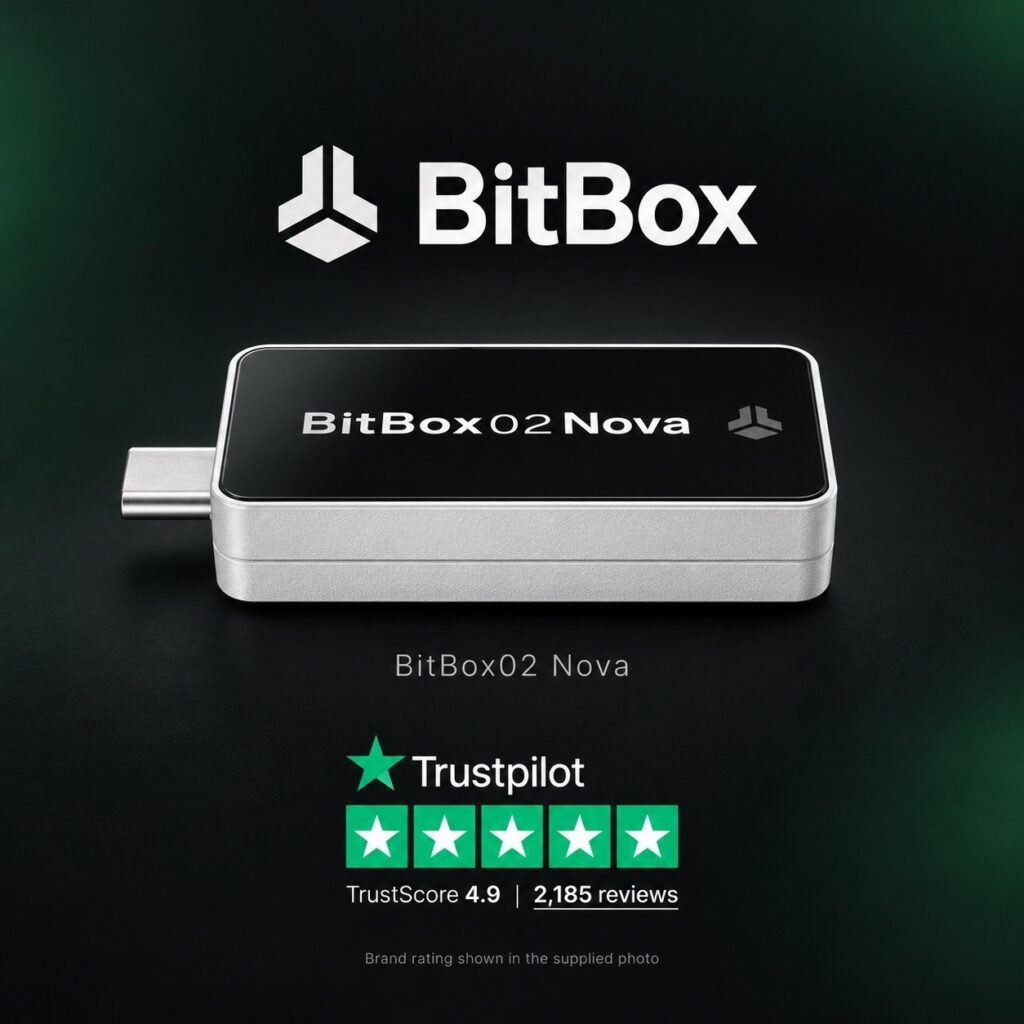
BitBox02 Nova: A Review of Its Features, Security and Recovery Options
BitBox02 Nova is a hardware cryptocurrency wallet from the Swiss company Shift Crypto AG. It is designed to let you hold your own private keys and approve transactions on a separate device. Building on the previous BitBox02, the Nova introduces a glass-covered display, a new secure chip, and support for iPhone and iPad. This review explores its design, available editions, compatibility, and backup options.
1. Design, Dimensions and Controls
BitBox02 Nova resembles a compact USB flash drive. It measures 54.5 × 25.4 × 9.6 mm, including the USB-C connector, and weighs 13 grams. Its housing is made from polycarbonate. The front features a monochrome OLED display with a resolution of 128 × 64 pixels, protected by tempered glass.
Instead of mechanical buttons, the device uses capacitive touch controls. You navigate by tapping, sliding, and holding your fingers on the touch surfaces. Available colours include Midnight Black, Polar White, and Bitcoin Orange, although availability depends on the edition.
2. Bitcoin-only and Multi Editions
Before purchasing a BitBox02 Nova, you need to choose between two editions.
The Bitcoin-only edition supports Bitcoin exclusively. It excludes functionality for other cryptocurrencies, which, according to the manufacturer, reduces software complexity and the potential attack surface.
The Multi edition supports multiple cryptocurrencies and also provides FIDO U2F functionality for two-factor authentication.
These are separate products. The manufacturer states that you cannot convert a Bitcoin-only device into a Multi device, or vice versa, after purchase. Choose your edition based on the assets you intend to use.
3. Supported Cryptocurrencies and Networks
The Multi edition supports Bitcoin, Ethereum, Litecoin, Cardano, and more than 1,500 tokens. However, support for an asset does not necessarily mean that every operation is available directly in the BitBoxApp.
The official compatibility list includes Bitcoin, Litecoin, and Ethereum with BitBoxApp support. Cardano is supported through AdaLite and NuFi. Certain EVM networks, including Arbitrum and Optimism, require compatible third-party applications.
USDT and USDC are listed as ERC-20 tokens. Before transferring funds, check both the cryptocurrency and the transfer network. Support for USDT on Ethereum does not automatically mean support for USDT on every other network.
4. Connecting to Computers and Smartphones
BitBox02 Nova supports Windows, macOS, Linux, Android, iPhone, and iPad. It offers USB-C and Bluetooth Low Energy connectivity.
When using the BitBoxApp on an iPhone or iPad, Bluetooth is required because these platforms do not support the necessary USB data connection. This remains important even though a Lightning adapter is included.
According to the manufacturer, Bluetooth communication uses the Whisper protocol with end-to-end encryption. A separate chip handles wireless communication without access to the wallet’s secrets. Bluetooth can be disabled when it is not needed.
5. Device Security and Transaction Approval
BitBox02 Nova uses an architecture combining a microcontroller with an OPTIGA Trust M V3 secure chip certified to EAL6+. Its firmware is open source. The certification applies to the secure chip and should not be interpreted as a guarantee of absolute security for the entire wallet.
You enter the device password directly on the hardware wallet. Its built-in screen lets you verify the recipient’s address and other transaction details before approval, rather than relying solely on what your computer or phone displays.
After ten incorrect password attempts, the Nova resets to factory settings. The secure chip directly enforces this limit. A usable backup is required to restore access after a reset.
6. Backing Up to a microSD Card
One of the BitBox02 Nova’s distinctive features is the ability to create a backup on the included microSD card. This backup allows you to restore the wallet if the device is lost, damaged, or reset. You can also display your recovery words and record them on paper or a metal backup.
The microSD backup is not encrypted with the device password. Someone who obtains the card could potentially restore the wallet and access its funds. Store it securely, separately from the hardware wallet. The manufacturer recommends using the backup card only with your BitBox and never inserting it into a computer or smartphone.
7. Optional Passphrase
The Nova supports an optional passphrase. Combined with your wallet backup, it creates a separate wallet.
A passphrase is different from the password used to unlock the device. It is not included in the recovery words or stored in the microSD backup. To restore a passphrase-protected wallet, you need both the backup and the exact passphrase.
Entering a different passphrase generally opens a different, empty wallet rather than producing an incorrect-password message. Enable this feature only after you understand how it works and have arranged a secure, separate recovery record.
8. What Is Included in the Box?
The official store lists the following items:
A BitBox02 Nova hardware wallet in your chosen edition.
A microSD card.
A USB-C extension cable.
A USB-C to USB-A adapter.
A USB-C to Lightning adapter.
Rubber pulls.
Labelling stickers.
9. Advantages of the Model
Features worth considering when comparing the Nova with other wallets include its compact design, built-in screen for checking transactions, open-source firmware, compatibility with computers and smartphones, and microSD backup system.
Compared with the original BitBox02, the Nova adds a glass-covered display, a new secure chip, and compatibility with iPhone and iPad.
10. Limitations and Risks
When choosing the Nova, consider its small screen, touch controls, and the differences between the Bitcoin-only and Multi editions. Some assets require third-party applications, so check compatibility with your portfolio before purchasing.
The backup microSD card also requires particular care. Convenient recovery comes with responsibility for protecting the card physically: the device password does not protect this backup.
Hardware protection does not eliminate the possibility of malicious software or compromised firmware. BitBox itself discusses these threats in its technical materials. It would therefore be incorrect to claim that the Nova cannot be compromised under any circumstances.
11. Who Should Consider the BitBox02 Nova?
Based on its documented features, the Nova is an option for users who want to hold their own Bitcoin or supported cryptocurrencies and approve transactions on a separate device. The Bitcoin-only edition focuses on BTC, while the Multi edition accommodates additional assets.
Before purchasing, check three things: support for your coins and networks, compatibility with your phone or computer, and your readiness to protect your wallet backup yourself.
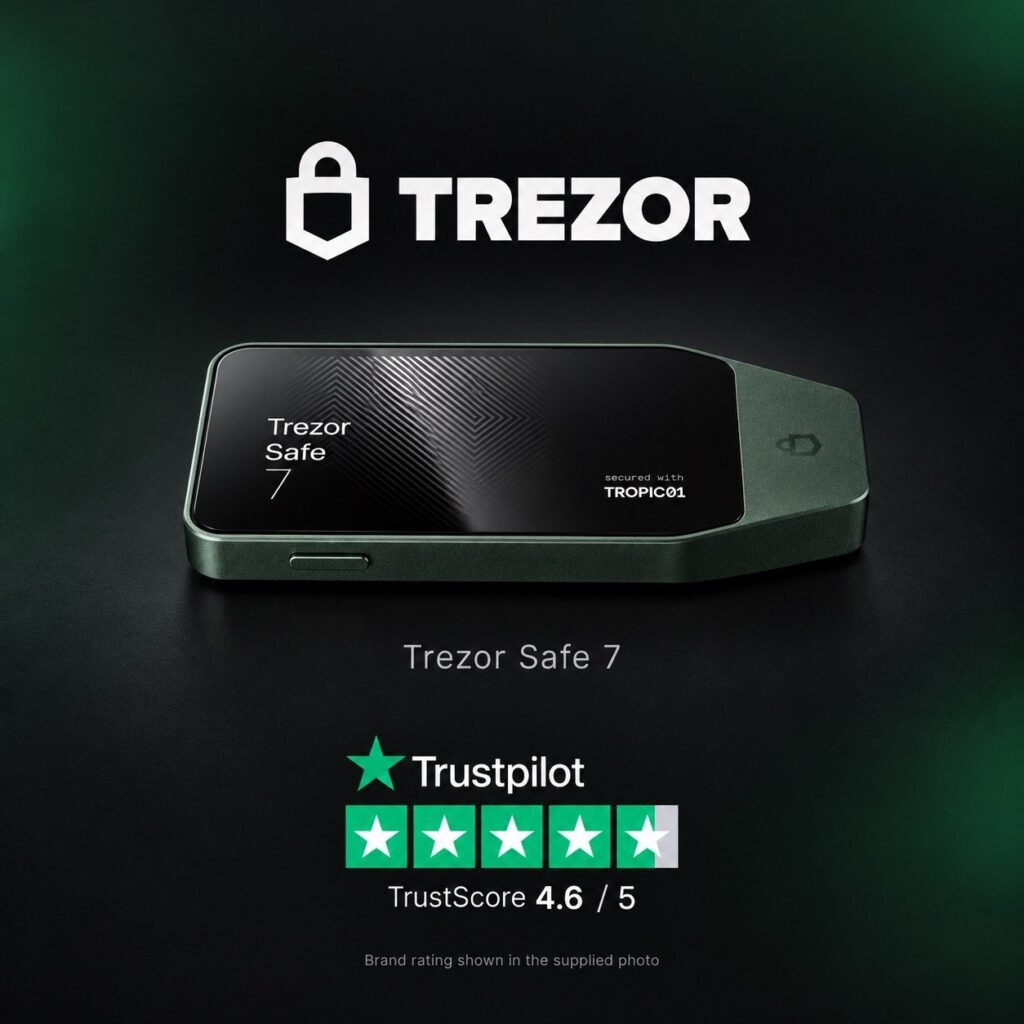
Trezor Safe 7: A Review of Its Features, Security and Recovery Options
Trezor Safe 7 is a hardware cryptocurrency wallet with a colour touchscreen and both wired and wireless connectivity. It combines an aluminium body, two secure elements, and several backup options. The device is designed for users who want to control their own private keys and verify transactions on a separate device. This review examines the Safe 7’s specifications, supported assets, recovery options, and security limitations.
1. Design, Dimensions and Build
Trezor Safe 7 measures 75.4 × 44.5 × 8.3 mm and weighs 45 grams. It features an anodised aluminium body, a Gorilla Glass 3 front surface, and a glass backplate with an NCVM coating.
The device has an IP54 rating, providing protection against limited dust ingress and water splashes. This does not mean it is waterproof or suitable for immersion. The manufacturer specifies an operating temperature range of 0°C to +45°C.
2. Display and Controls
The Safe 7 features a 2.5-inch colour touchscreen with a resolution of 520 × 380 pixels and a stated brightness of 700 nits. It also provides haptic feedback.
The screen lets you review information and approve transactions directly on the device. Checking the recipient’s address on the hardware wallet is important: the information displayed by your computer or phone should not be your only basis for approving a transfer.
3. Universal and Bitcoin-only Versions
The Safe 7 is available in Universal and Bitcoin-only versions. The Universal version supports multiple cryptocurrencies, while the Bitcoin-only version focuses exclusively on Bitcoin and excludes functionality for other assets.
Check the selected version before purchasing. Devices that look similar can differ in their installed firmware and available features.
4. Supported Cryptocurrencies
The manufacturer states that the Universal version supports thousands of coins and tokens, including assets on Bitcoin, Ethereum, and Solana. However, support by the hardware device is not the same as availability within Trezor Suite.
Some assets can be managed directly in Suite, while others require a compatible third-party application. Before purchasing or transferring funds, check the specific device model, cryptocurrency, network, and compatible application in the official support list. Support for a token on one network does not mean that it can be sent using any other network.
5. Connectivity and Power
The Safe 7 supports USB-C and Bluetooth, with wireless pairing available for compatible Bluetooth 5.0+ devices. Communication over both interfaces is protected by Trezor Host Protocol, or THP. You can disable Bluetooth and use a wired connection instead.
The device contains a 330 mAh, 3.2 V LiFePO₄ battery and supports Qi2-compatible wireless charging. According to the manufacturer, the wallet can continue operating through USB-C power if the battery fails.
6. Hardware Security
The Safe 7’s security architecture consists of three main components:
A TROPIC01 secure element.
An OPTIGA Trust M secure element, certified to EAL6+.
An STM32U5 microcontroller.
According to Trezor’s documentation, the secure elements help verify the PIN and protect secret data, while the microcontroller coordinates their operation. The architecture is designed so that compromising one component does not automatically provide access to the entire wallet.
Certification of an individual chip should not be interpreted as a guarantee that the complete device is immune to attack.
7. What Does Quantum-ready Mean?
The term quantum-ready refers to the use of post-quantum cryptography to protect the boot process, firmware verification, and device authentication.
It does not mean that Bitcoin and other cryptocurrencies managed through the wallet are already fully protected against future quantum attacks. The blockchains themselves would also need to adopt appropriate changes.
This feature should therefore be understood as part of the device’s security architecture, rather than a universal guarantee of asset protection.
8. Backup and Recovery
The Safe 7 supports 12-, 20-, and 24-word wallet backups, as well as Multi-share Backup, which uses multiple recovery shares.
If the device is lost or damaged, you can restore access using a valid backup. If the backup is lost but the wallet remains accessible on a working device, transfer your funds to a new wallet with a securely stored backup. Do not reset the original device until the transfer is complete.
If you lose both the device and all the recovery information required to restore the wallet, the manufacturer cannot recover access for you.
9. What Is Included in the Box?
The package includes:
A Trezor Safe 7 hardware wallet.
A USB-C to USB-C cable.
Two cards for recording a 20-word wallet backup.
A start-up guide.
A product safety guide.
Trezor stickers.
The backup cards are paper records for your recovery words, not payment cards.
10. Security Limitations
Having two secure elements does not eliminate the possibility of vulnerabilities. In June 2026, Trezor published information about a laboratory attack on the TROPIC01 chip involving laser fault injection.
According to Trezor, the disclosed vulnerability in the individual chip did not provide access to a Safe 7 user’s PIN, wallet backup, or funds because the other security layers remained in place. This is the manufacturer’s assessment of a specific attack, not proof that every future attack is impossible.
A hardware wallet also cannot prevent losses if its owner exposes the recovery phrase or approves a fraudulent transaction. Checking addresses, applications, and approval requests remains an essential part of safe use.
11. Who Should Consider the Trezor Safe 7?
Based on its documented features, the Safe 7 is an option for users who value a colour touchscreen, wireless connectivity, and multiple backup methods. Its aluminium body and IP54 protection may also matter to those choosing a device for regular use.
This is an assessment of the model’s suitability, rather than a claim that it is more secure than every alternative. Before purchasing, check support for your portfolio, application compatibility, and whether you understand how to store and use your chosen backup method.
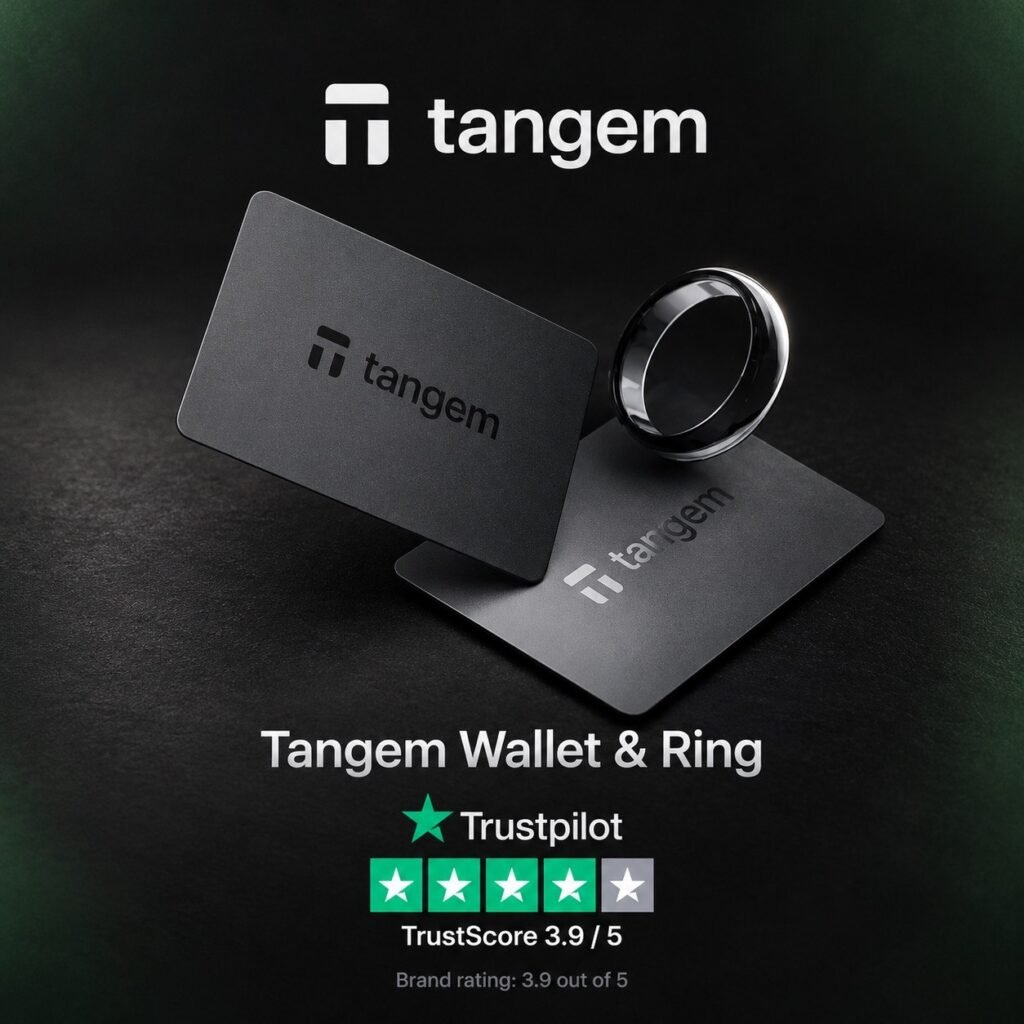
Tangem Wallet and Tangem Ring: A Detailed Review of Features, Security and Recovery
Tangem is a hardware cryptocurrency wallet that works with a smartphone using NFC. Instead of a device with a screen and USB connector, users receive cards or a set containing a ring and two backup cards. To approve a transaction, you tap a card or ring against a compatible phone. This design requires no cables or charging, but it has important characteristics: transaction details are checked on the smartphone, and recovery options depend on whether the wallet was created with a seed phrase.
1. What Is Tangem Wallet?
Tangem Wallet comes in the form of cards with an embedded secure chip. Sets of two or three cards are available. During setup, the cards can be linked to a single wallet, giving them access to the same funds.
A backup card is not a limited version of the primary card. All devices included in the backup group are equivalent and can be used to manage the wallet. Keeping the entire set in one place is therefore inadvisable: losing all the cards together defeats the purpose of having physical backups.
2. How Does Tangem Ring Differ from the Cards?
Tangem Ring provides hardware wallet functionality in a ring-shaped device. It communicates with a smartphone over NFC and does not require a battery or charger.
Its shell is made from zirconia ceramic. The manufacturer specifies an IP69K protection rating and a width of approximately 7.8–8 mm. The set includes the ring and two cards for backup access. The Ring offers the same core functionality as second-generation Tangem cards, including the option to set up a wallet with a seed phrase.
The product page lists US ring sizes 6 to 13. Check the manufacturer’s sizing guide before purchasing: the ring must fit properly, regardless of its wallet functionality.
3. How Do You Manage Cryptocurrency?
The Tangem app provides the interface. You select an asset, enter the recipient’s address and amount, review the details, then authorise the action using an access code or biometrics and scan your card or ring.
The hardware device stores the private key and signs the transaction. The phone displays information and provides the interface for interacting with the wallet. In hardware wallet mode, installing the app alone is not enough: the physical Tangem device is required to approve relevant actions.
4. Smartphone Compatibility
Tangem Wallet requires a smartphone with full NFC support. Checking that NFC appears in the phone’s specifications is not sufficient: some models have limitations that prevent backup creation.
Tangem’s documentation lists restrictions affecting certain older iPhones and some Android smartphones. The manufacturer also does not guarantee full app functionality on devices running unofficial custom firmware.
Standard management of a Tangem hardware wallet through a computer is not supported. Before purchasing, check compatibility with your specific phone model rather than relying solely on its operating system.
5. Supported Coins and Networks
Tangem supports thousands of cryptocurrencies and tokens. Its official list includes Bitcoin, Ethereum, Solana, Dogecoin, Litecoin, Cardano, TON, TRON, and other networks. Support continues to expand, so check compatibility before making a transfer.
The token’s network is particularly important. A matching name or ticker does not mean that you can transfer it over any network. The sending network must match the selected receiving network.
You can browse supported assets in the app before purchasing a hardware set. This lets you check whether Tangem supports your portfolio in advance.
6. Two Ways to Create a Wallet
Current Tangem devices offer a choice between seedless setup and setup with a seed phrase.
With seedless setup, the private key is generated inside the secure chip. Additional cards or a ring provide the backup.
With seed-phrase setup, the app can generate a phrase or import an existing one. The documentation describes generating 12- or 24-word phrases. In this mode, secret information passes through the smartphone’s software environment during creation or import. This is a fundamental difference from generating the key directly inside the chip.
7. How Device-to-Device Backup Works
When creating the backup group, key material is transferred between devices in encrypted form over a secure channel. According to Tangem’s documentation, the app cannot decrypt that information.
You cannot add a new backup card after setup is complete. You must choose the number of devices when creating the backup group. If you later need a different set, you will need to create a new wallet and transfer your funds to it.
Device generation also matters: first- and second-generation cards cannot simply be combined into the same backup group.
8. Secure Chip and Firmware Design
Tangem uses a secure chip certified to Common Criteria EAL6+. This certification applies to the component and does not guarantee that the complete product is free from vulnerabilities.
The hardware firmware is closed source and cannot be updated after it has been installed on the chip. The manufacturer cites assessments by Kudelski Security and Riscure.
Immutable firmware prevents a subsequent malicious firmware update from being installed on that chip. However, there is a trade-off: a hardware or firmware vulnerability cannot automatically be fixed through a normal device update. The smartphone app is updated separately.
9. No Built-in Display
Tangem cards and rings do not have their own displays. Users review transaction details on the smartphone, so they cannot independently compare the recipient’s address and amount on the hardware wallet itself.
This is an important difference from BitBox and Trezor models with screens. In practice, it makes the authenticity of the app and the security of the phone especially important. Tapping the card approves an action, but it does not replace carefully reviewing what you are being asked to sign.
10. Known Security Issues
In December 2024, Tangem reported fixing an app issue in which a private key could be written to diagnostic logs when a wallet was created or imported using a seed phrase. Exposure required a particular combination of actions, including contacting support through the app shortly after activation.
According to the company, no loss of funds associated with the issue was identified, and seedless wallets were not affected. The incident illustrates why hardware wallet security must be assessed alongside the app and setup process.
In July 2026, Ledger Donjon, a security laboratory operated by a competing manufacturer, published research demonstrating a laser attack on Tangem cards. The researchers reported that they could replace the access code when they had physical possession of a card and specialised laboratory equipment. According to their findings, affected cards cannot receive a firmware update to fix the vulnerability.
Tangem’s response emphasised the attack’s complexity, cost, and invasive nature, assessing the practical risk to ordinary users as extremely low. The accurate description is therefore a demonstrated laboratory threat with differing assessments of its practical significance—not an absolute guarantee that the device cannot be compromised.
11. What Happens If You Lose a Card, Ring or Phone?
If you lose one card or ring, you can retain access through another device in the backup group. The lost device cannot be remotely blocked on its own because all linked devices are equivalent. If compromise is a concern, transferring funds to a new wallet is a sensible precaution.
If you lose your phone, you can install the official app on another compatible smartphone and use your remaining Tangem device with its access code.
If every card and ring is lost, recovery is possible only if a suitable seed phrase was created and retained beforehand. With a seedless wallet, losing the entire set means losing access: the manufacturer cannot recover your private keys for you.
12. Main Advantages and Limitations
Based on its documented features, Tangem’s advantages include operation without charging, a compact form factor, smartphone-based management, and backup access through multiple physical devices.
Its limitations include the lack of an independent display, reliance on a compatible phone, the inability to add backup devices after setup, and immutable firmware. With seedless setup, recovery also depends on retaining the physical devices. These are practical consequences of the architecture, rather than a universal security ranking.
13. Who Should Consider Tangem?
Tangem is an option for users who prefer managing cryptocurrency on a smartphone and approving transactions by tapping a card or ring. Before purchasing, choose your backup method, check support for your portfolio, and decide whether you are comfortable using a wallet without its own screen.
Understanding the security and recovery model matters more than relying solely on design or user ratings. Seedless setup changes how the wallet is backed up; it does not eliminate the risk of losing access.