
On this page, you will find a detailed guide that will help you understand how the BTC4U token works and build a strategy for generating stable long-term income 📈
Here you will learn about:
• creating an account and wallet • buying and selling the token
• trading based on signals • basics of arbitrage • working with multiple wallets • ong-term HOLD strategy • liquidity management
STEP ONE:
🔑 This step is very important.
📱 Here we review the crypto wallets required for the next stages of working with BTC4U and cryptocurrency.
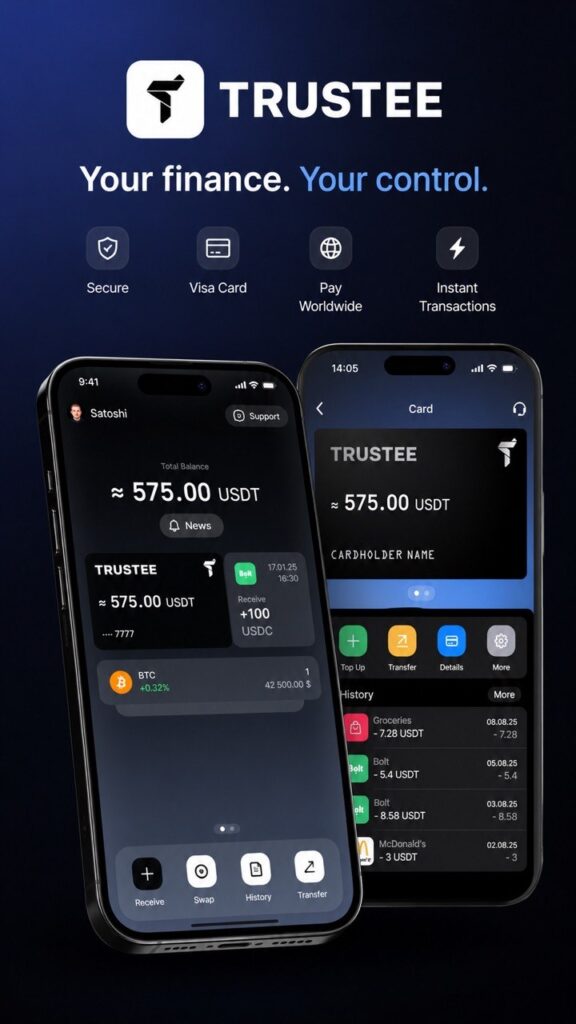
👛 The first one is Trustee Plus.
This is the main wallet for all cryptocurrency transactions without intermediaries or centralized exchanges.
💳 Another major advantage is the built-in Visa card, which allows you to convert your earned cryptocurrency into USDT.
🌍 After that, you can pay for purchases worldwide using Apple Pay and Google Pay.
⚡️ This means the wallet can be used not only for storing cryptocurrency, but also for fast everyday payments.
📘How to open a Trustee Plus wallet + Visa card —
see this guide:
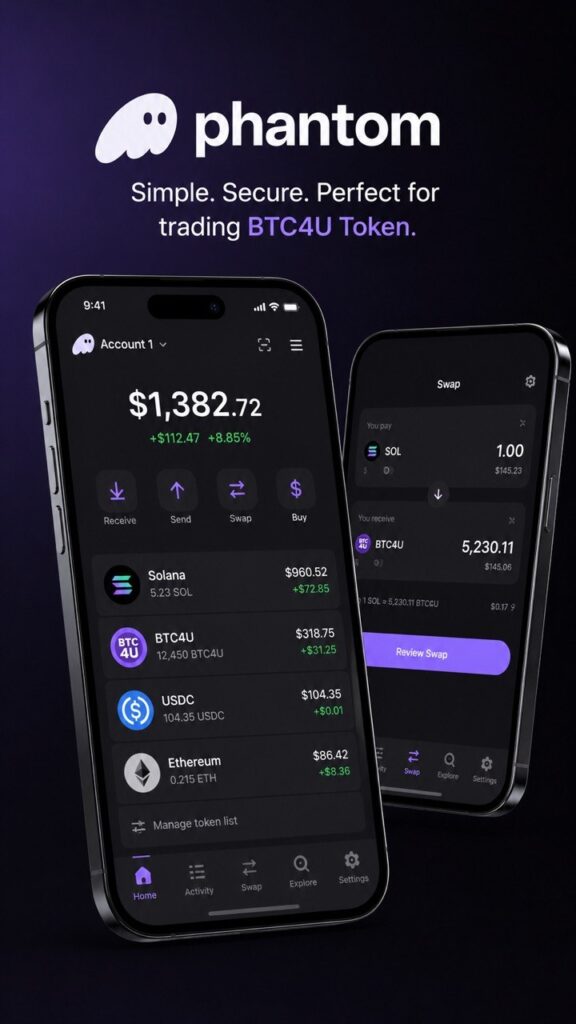
🔐 The next important step is installing the Phantom Wallet, which is идеально suited for trading BTC4U Token, storing tokens, and working with Web3 applications.
📱 Phantom can be installed both on a smartphone and in a browser on your computer.
💻 Installing Phantom in a browser:
• Go to the official Phantom website
• Install the extension for Chrome, Brave, Edge, or Firefox
• Create a new wallet
• Save your Secret Recovery Phrase in a secure place
• Confirm wallet creation and complete the setup
📲 Installing Phantom on a smartphone:
• Download the Phantom app from the App Store or Google Play
• Open the app and create a new wallet
• Make sure to securely save your Secret Recovery Phrase
• Complete the activation process and access your crypto wallet
🪙 After installation, Phantom Wallet will be ready for buying, storing, and trading BTC4U Token directly from your personal wallet.
🌐 Official Phantom Website:
STEP TWO — Funding Your Balance:
To start working with and arbitrage trading BTC4U Token, you need to fund your Phantom Wallet balance.
💳 You can add funds using a bank card through Google Pay or Apple Pay, or by transferring crypto from your Trustee Plus wallet.
🪙 The balance should be funded with Solana (SOL), since it is used for buying and trading BTC4U Token.
📈 Around 0.3 SOL will be enough to get started.
⚠️ Important: the funds must be stored in your Phantom Wallet, as all further BTC4U Token transactions will be performed through it.
STEP THREE — Sign Up on Pump.fun:
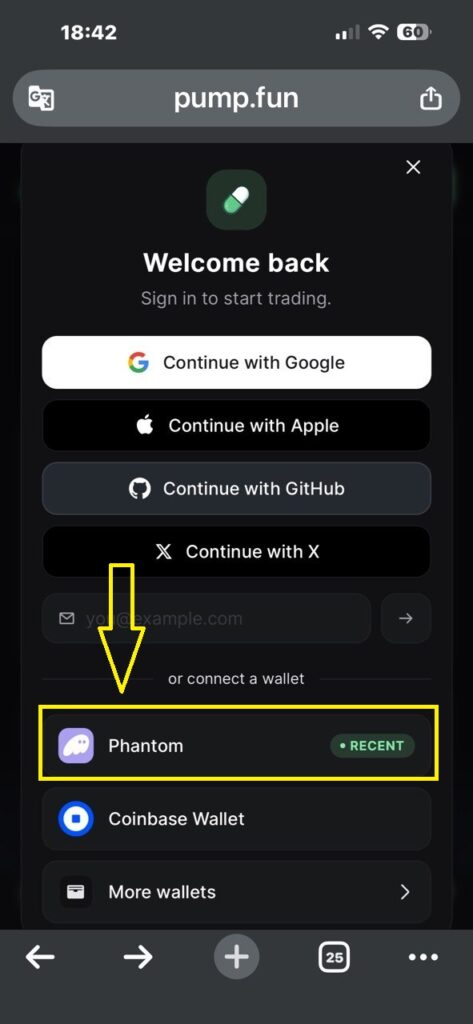
To start working with BTC4U Token, you need to connect and authorize your Phantom Wallet on the Pump.fun platform.
1️⃣ Open the Pump.fun Website
Go to the official website:
2️⃣ Click the “Sign In” Button
In the top right corner of the website, click the Sign In button.3️⃣ Select Phantom
After clicking, a wallet connection window will appear.
Choose Phantom Wallet.
4️⃣ Confirm the Connection
A Phantom Wallet popup window will open.
Click Connect.
5️⃣ Confirm Authorization
After connecting, the website may ask you to confirm the login request.
Click Confirm.
6️⃣ Done
Your Phantom Wallet is now connected to Pump.fun, and you can buy, sell, and track BTC4U Token directly through your wallet.
⚠️ Important: always verify the website address before connecting your wallet and never confirm unknown requests.
🌐 Official Pump.fun Website:
STEP FOUR — ADDITIONAL OPTIONS:
For more efficient trading and working with arbitrage signals, it is recommended to create several additional Phantom Wallets.
📱 To fully work with the BTC4U system, you will need:
• 1 main wallet• 3 additional Phantom wallets
The wallets can be installed:
• in different browsers
• on different devices
• or by using separate browser profiles
For convenience, it is recommended to number the wallets as follows:
1️⃣ Main Wallet #1
2️⃣ Additional Wallet #2
3️⃣ Additional Wallet #3
4️⃣ Additional Wallet #4
💳 A small amount of Solana (SOL) should be transferred to each wallet for future BTC4U Token trading.
To get started, you can use the minimum deposit amount or distribute the balance at your own discretion.
📈 This system is used for arbitrage trading and working with trading signals inside the community.
Example of how the signals work:
📢 Signal #1
Buy the token using Wallets #1, #2, and #3.
📢 Signal #2
Sell all tokens from Wallet #1.
📢 Signal #3
Buy the token using Wallet #4.
📢 Signal #4
Sell tokens from Wallets #2 and #3.
⚡ This approach allows more flexible trade management, asset distribution between wallets, and the use of different trading strategies.
✅ After creating the additional wallets and funding them, proceed to the next step.
STEP FIVE — SUBSCRIPTIONS:
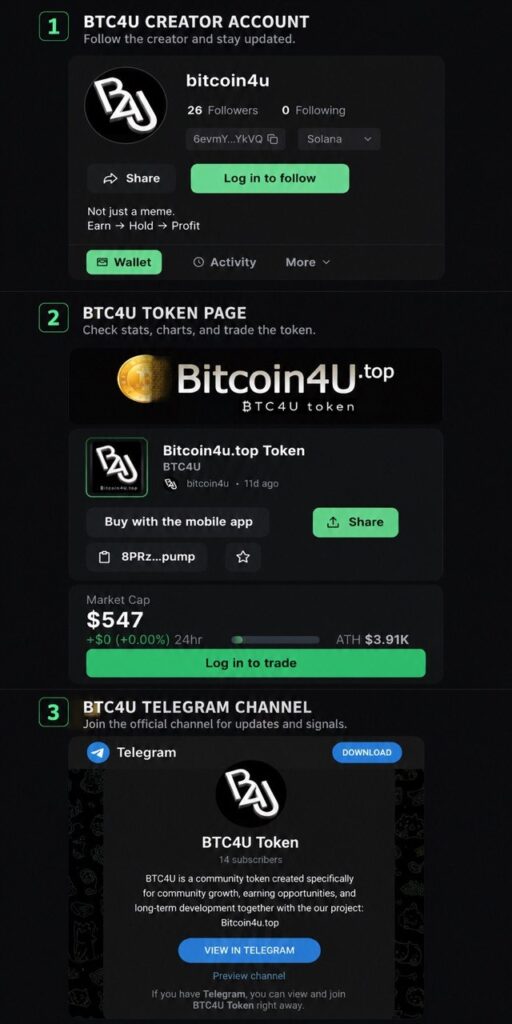
To fully work with BTC4U Token, receive trading signals, and access all important updates, it is recommended to subscribe to the main project resources.
1️⃣ BTC4U Token Creator Account
🌐 Subscribe Now
Here you can:
• view the admin’s public statistics
• track the number of created tokens
• monitor project activity and transactions
• contact the administration regarding any BTC4U Token related questions
This account serves as the main source of communication with the project administration and provides open information about the token.
2️⃣ Official BTC4U Token Page:
🌐 Subscribe Now
This is where you will find the main information about the token:
• token statistics
• price charts and market movement
• liquidity information
• trading activity
• market capitalization data
• BTC4U Token buying and selling
All major trading actions are performed through this page.
3️⃣ BTC4U Telegram Channel — the most important part of the system
🌐 Subscribe Now
The Telegram channel contains:
• all important project updates
• news and announcements
• market analytics
• arbitrage trading signals
• token buy and sell recommendations
• liquidity movement and community activity updates
The Telegram channel also provides direct communication with the administration and other BTC4U community members.
✅ After subscribing to all major resources, you will receive full access to the BTC4U ecosystem and the next stages of working with the token.